01
Drop
Drag any MSI in. Wintune reads the Windows Installer database directly — product and upgrade codes, version, publisher, architecture, install context, services and custom actions. The installer is treated strictly as data, never executed.
02
Review
Silent install and uninstall commands, an MSI detection rule, requirements and return codes are generated for you. Adjust anything in the project workspace while smart warnings flag per-user installs, reboot triggers and missing upgrade codes.
03
Build
One click produces a validated .intunewin. Wintune reopens its own output and proves structure, HMAC, digest and decryption before it says done — then saves everything as a reusable .intuneproject.
A from-scratch engine, not a wrapper.
Fully offline
No network calls, no analytics, no accounts. Installers never leave your Mac — the privacy label reads "Data Not Collected."
Microsoft-compatible
Byte-layout compatible with the Win32 Content Prep Tool — AES-256-CBC and HMAC-SHA256, proven against the official tool's own output.
Smart warnings
Per-user installs, custom actions, external source files and reboot triggers get flagged before they reach your tenant.
MSI table inspector
Browse tables, the string pool and SummaryInformation straight from the installer database when you need ground truth.
Inspect & extract
Validate, inspect, decrypt and unpack any .intunewin — including packages you didn't build.
Reusable projects
.intuneproject bundles keep the installer, metadata, commands and build history together for the next version bump.
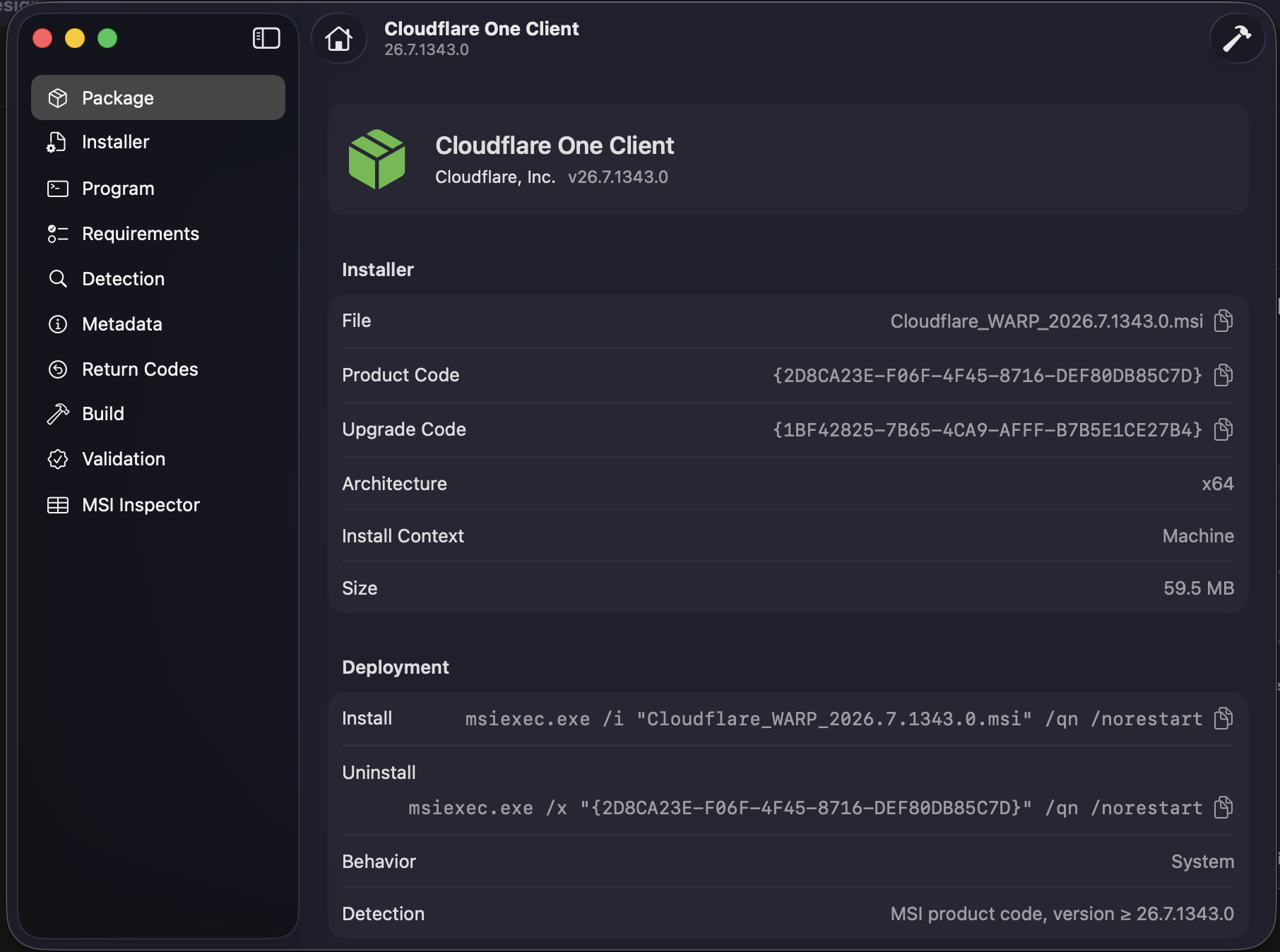
One window. Every field Intune asks for.
Identity, deployment commands, detection, requirements and return codes sit in one sidebar — filled in from the installer before you've scrolled. What you ship is exactly what the admin center expects.
One price. Zero subscriptions.
Buy it once on the Mac App Store and package every Windows app your tenant needs. Volume purchasing through Apple Business Manager works like any other Mac app.
No subscription. No account. No telemetry.
Available now · macOS 15 or later
Straight answers.
Do I need Windows anywhere?
No. Wintune reads the Windows Installer database with its own native Swift engine — no VM, no IntuneWinAppUtil.exe, nothing to bootstrap. The MSI is parsed as data and never executed.
Will Intune actually accept the output?
Yes. The .intunewin layout is byte-compatible with Microsoft's Win32 Content Prep Tool — AES-256-CBC encryption with HMAC-SHA256 — and every build is reopened and put through twelve validation checks before Wintune reports success.
Does anything leave my Mac?
Nothing. Packaging is 100% offline — no network calls, no analytics, no accounts. Installer files are processed locally and stay on your machine.
Can it open packages built by Microsoft's tool?
Yes — inspect, validate, decrypt and extract existing .intunewin files, whoever built them. The validator is tested against real IntuneWinAppUtil output.
What about EXE installers?
MSI is today. EXE, script and PSADT packaging — plus direct Microsoft Graph upload to Intune — are on the roadmap.
The next MSI is a two-drag job.
Drop it on Wintune, read the warnings, hit Build. The .intunewin comes out with its commands and detection rule already written.
More apps from us

Simple Register
Your checkbook register, exactly as you remember it. Private, with no bank logins.

AppKey
Your Cloudflare Access apps, one click away in the menu bar.